TV & Movie Calendar Sync
I’ve loved movies since I was a kid, and that interest often extends to documentaries, behind-the-scenes footage, and interviews about how they were made. I wanted to bring that enthusiasm into a personal project: a simple app that helps me keep up with the movies and television I care about.
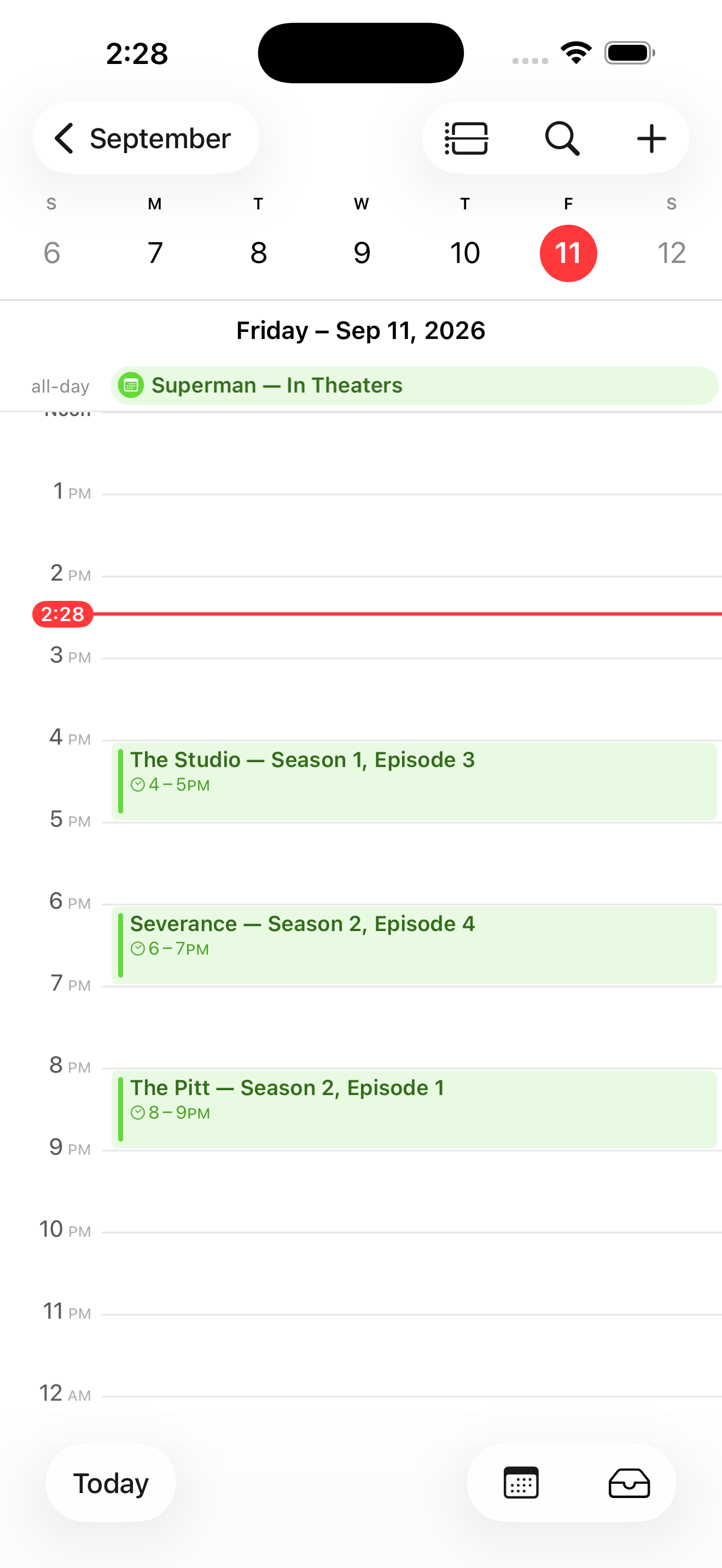
I built TV & Movie Calendar Sync around a direct connection between following a title and remembering to watch it. Search for a show or movie, follow it, and sync upcoming releases to a personal calendar, with reminders as they approach. The project also gave me a way to explore using AI for iOS development and take an app through to the App Store.
Keeping the core experience simple
The experience centers on finding and following. People search for shows or movies, add them to their following feed, and choose whether to track theatrical releases, streaming releases, or both. Titles without a confirmed date remain visible in a waiting section. The app distinguishes a saved follow from a successful calendar sync, making pending dates and sync problems clear. Reminder preferences live in settings, keeping the everyday interaction focused on the titles people care about.
I started with concepts in Figma for the feeds and core experience, then used AI to help write the code and build an MVP. Getting the app onto my own iPhone let me move from designing screens to using the experience in daily life.
Taking a personal project into public use
For a while, I was the app’s only user. I followed movies and shows, synced releases to my calendar, and tested whether the app covered my own needs before releasing it on the App Store.
Publishing introduced another part of product ownership: learning how releases work, understanding analytics, and communicating with customers. I’ve been building that practice alongside the app, including workflows that surface feedback emails and help draft support replies by examining the relevant code.
Making ongoing improvement manageable
My use of AI expanded into builds, deployment, release notes, and App Store marketing assets. I turned a manual screenshot process into a reusable skill that creates images for iPhone and iPad in light and dark mode. I define the benefits and copy length, then review the resulting screens together on a contact sheet before approving publication.
These workflows save time and make the app easier to maintain alongside the rest of my day. I can move improvements forward during a lunch break or on a weekend, with builds and issue work continuing while I’m doing other things. Maintaining the app has become an ongoing part of the project—and another opportunity to design how the work gets done.